XIGNYX by XI·MET·IX

X-02 · How it works

Four steps. Every one inside your building.

Upload, send, sign, seal. Here is each step as it appears on screen, shown with a sample document.

  1. 01 Upload
  2. 02 Send
  3. 03 Sign
  4. 04 Seal
01

Upload

Choose the PDF, give it a title and add each signer. The person who usually signs for the firm is filled in by default, and more signers can be added.

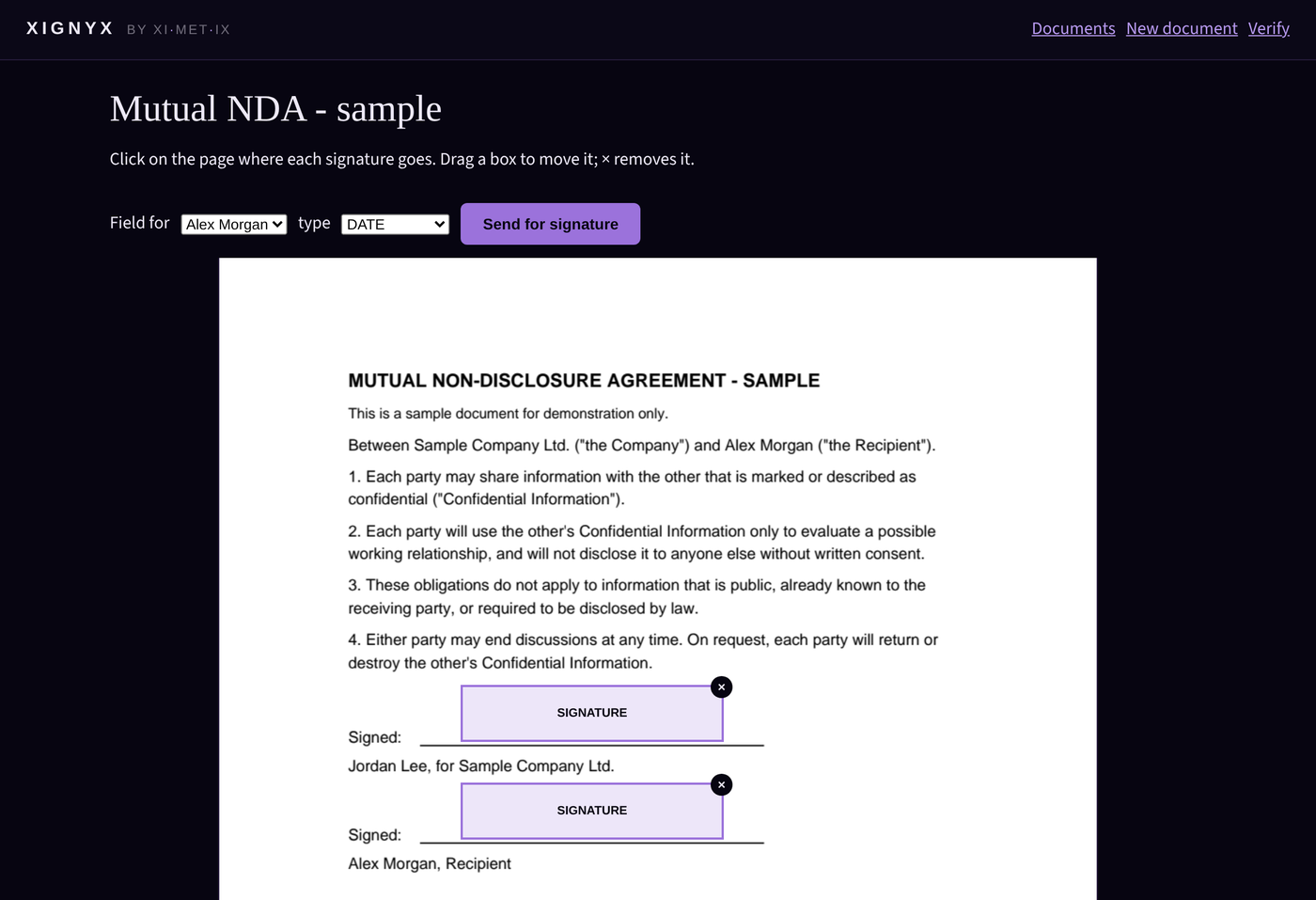
Then click on the page where each signature goes. Date and name fields are placed the same way. A field can be dragged to move it, and × removes it.
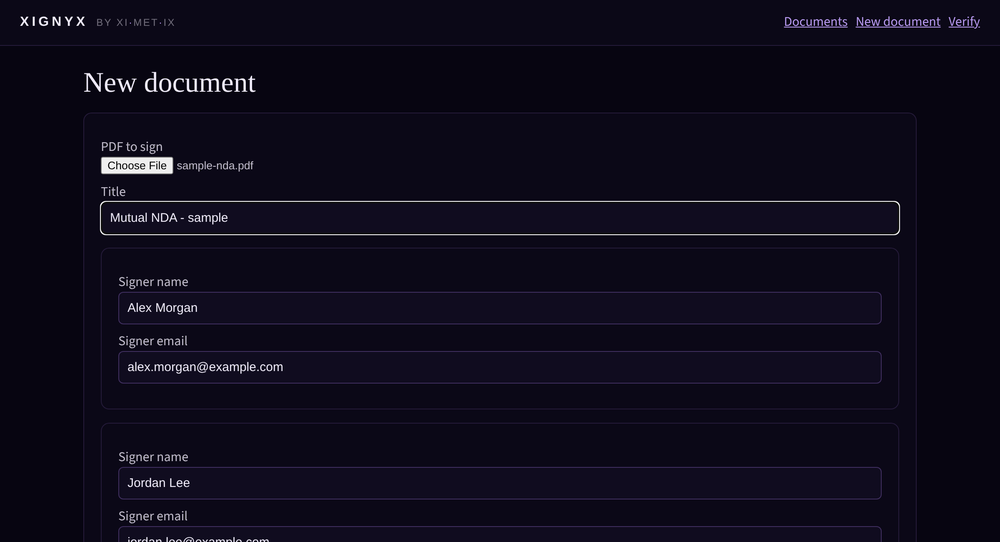
The New document screen: the PDF to sign, its title, and two signers with names and emails.
New document: the PDF, its title and each signer.
The sample NDA in the console, with a signature field placed on each signing line.
Placing fields: one click on each signing line.
02

Send

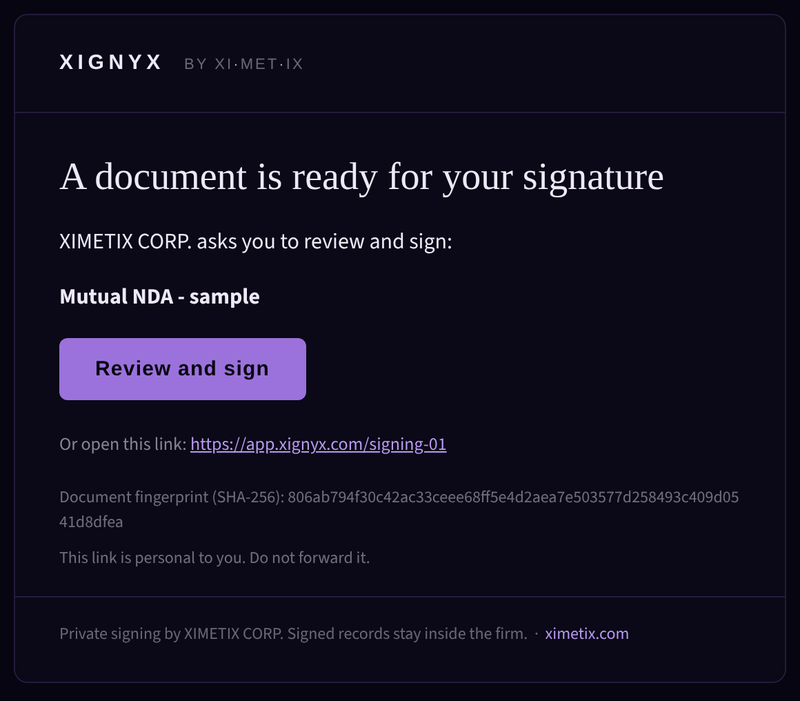
“Send for signature” emails each signer a personal link, sent from the firm’s own mail.

The email names the document and carries its fingerprint, so the signer can see exactly which file they are asked to sign. If the sender is also a signer, the signing page opens straight away.

The signing email: a document is ready for your signature, with a Review and sign button and the document fingerprint.
The signing email, from the firm’s own address.
03

Sign

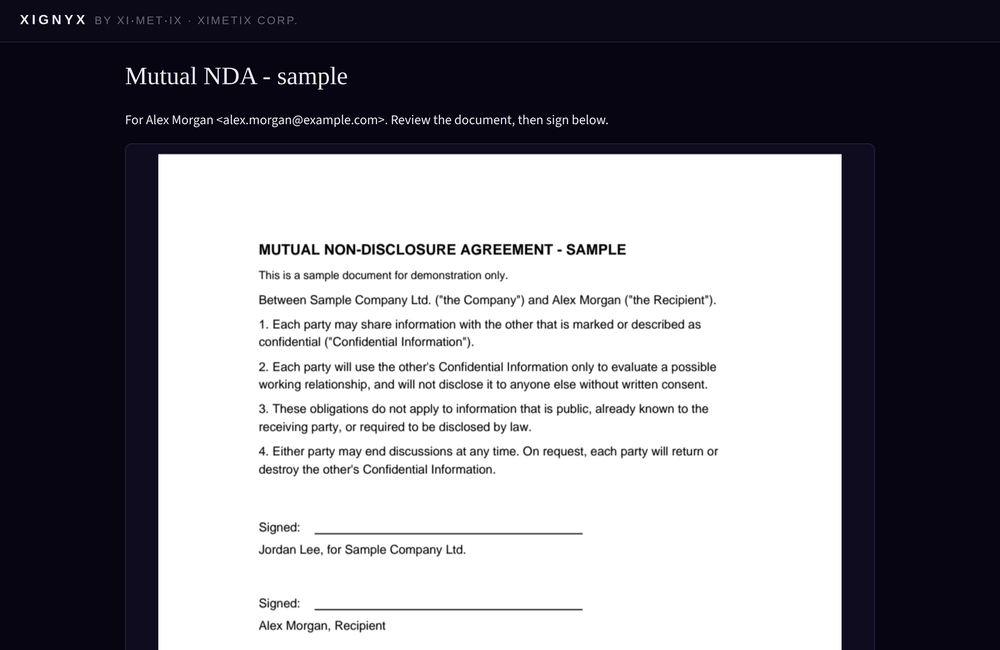
The signer sees every page of the document before signing.

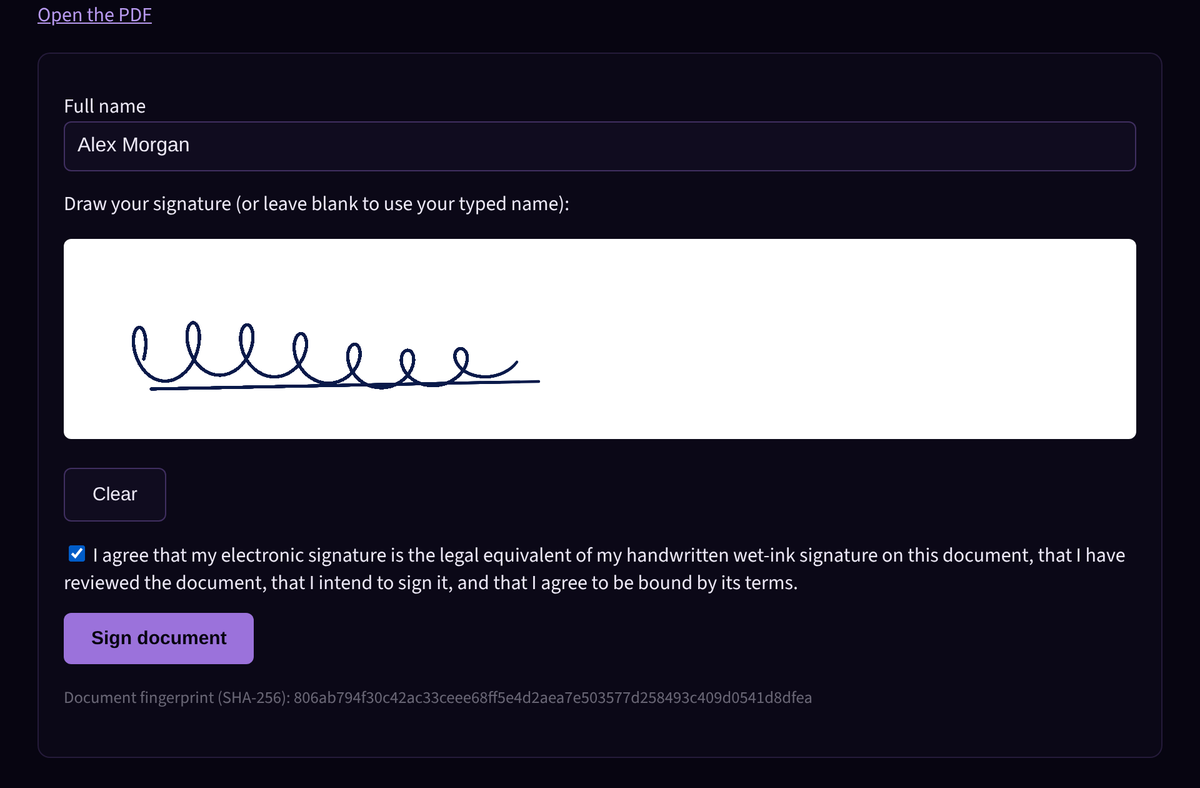
They tick the signer agreement, then draw a signature, or leave the box blank to use their typed name.

The signing page showing the full sample NDA for review.
Review: the whole document, page by page.
The signing form: full name, a drawn signature, the ticked signer agreement and the Sign document button.
Sign: name, signature and the agreement, word for word.
04

Seal

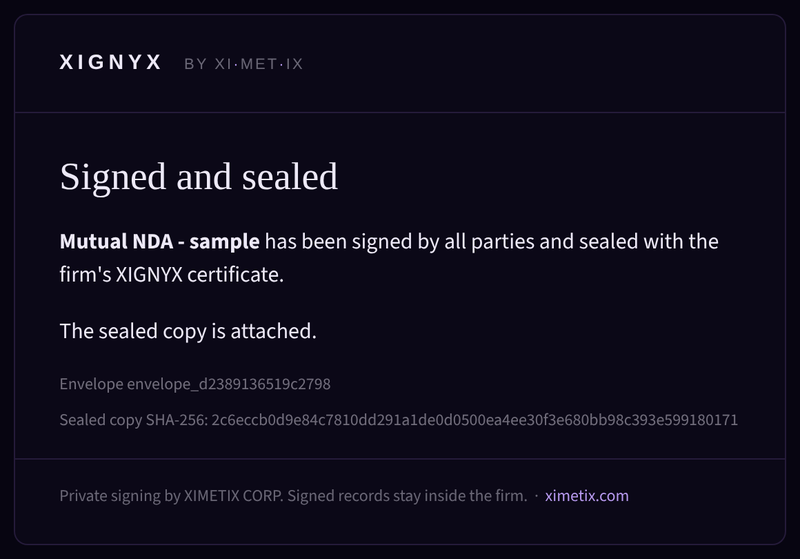
When the last signer signs, XIGNYX places each signature on its line, appends the certificate of completion, and seals the file with the firm’s own certificate.

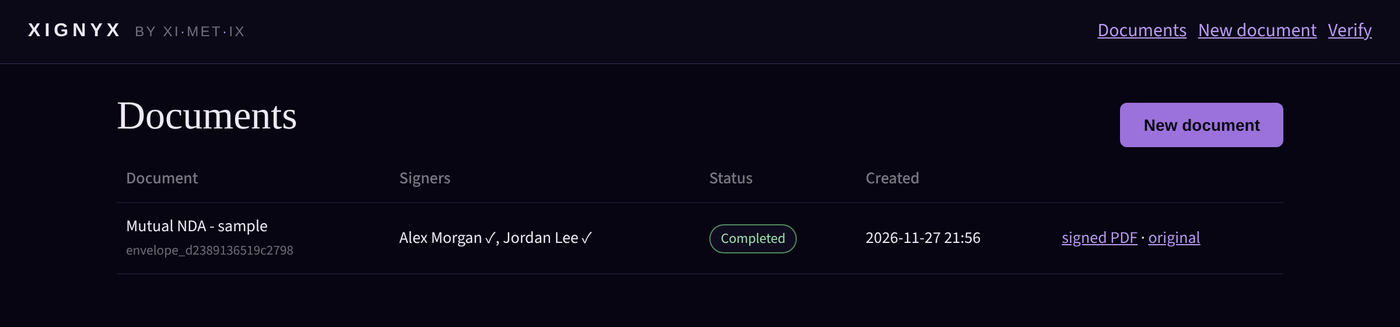
Every signer receives the sealed copy by email. The Documents list shows each document’s signers and status, with the signed PDF and the original ready to download.

What the sealed document contains →

The completion email: signed and sealed with the firm’s XIGNYX certificate, sealed copy attached.
The sealed copy, sent to every signer.
The Documents list: the sample NDA, both signers ticked, status Completed, with signed PDF and original links.
The Documents list: status and downloads.

From the firm’s own systems

Documents can arrive without anyone opening the console.

The firm’s own systems can create a document, send it for signature, wait until it is complete and collect the sealed copy through the XIGNYX API. XIMETIX’s own record-keeping runs this way.

Screens from XIGNYX v1, shown with a sample document and sample signers.

See it on your own documents, in your own building.

XIGNYX is installed by XIMETIX, one firm at a time.